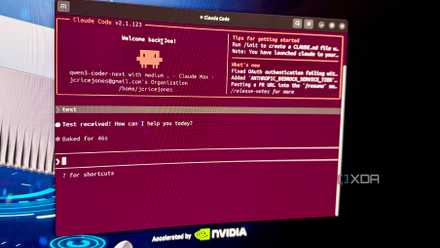
Claude Code is already one of the most powerful coding agents you can use today. It can read files, run commands, edit code, check for errors, and handle large development tasks with very little hands-on handling. Most people start using it as a more intelligent terminal assistant, which makes it quite useful for everyday development work.
But this basic setup also hides one of Claude Code’s most useful features. Many of us still manage everything through one primary agent, even when the task clearly involves research, planning, implementation, testing, and review. While it works for smaller changes, you start to see cracks after the session gets longer. Claude Code sub-agents solve this problem by dividing the work among assistants. Each sub-agent gets its own context window, its own instructions, and access to its own tool.
Problem with using only one agent
The context window collapses quickly
Using one Claude Code agent for everything becomes a problem when the agent keeps collecting context. Each read file, command output, error message, and previous explanation adds weight to the same session. A context window stores the entire conversation, including messages, files, commands, tool outputs, and other session details. Once that window is full, the model starts to lose sharpness and makes more mistakes.
For example, even in a typical debugging session, Claude reads one file, inspects another file, runs a test, traces an error, checks the configuration, and then returns to the original issue. This is confusing because the same agent must have multiple roles at the same time. These jobs require different priorities and they often generate different noise.
Lack of isolation from context becomes a real limitation. If Claude reads ten files while investigating one possible cause, such readings remain part of the main conversation after that path becomes irrelevant. If the test generates a long failure log, the model moves that log to future queues. The agent can still solve the task, but it is now working in a distributed workspace.
This also affects how Claude follows instructions. You can start by just asking Claude to investigate the problem, then ask him to implement the safest solution. The same conversation now includes exploration guidelines, discarded assumptions, partial plans, and updated constraints. The model may still be following your last query, but earlier material is competing for attention.
Claude Code can summarize long sessions when the context window is full, and you can use commands like you manually. /clear and /compact to control the context. These tools help you recover your location, but they don’t segregate work as responsibly as sub-agents.
Claude Code sub-agents protect the main session
You can divide the same work among multiple sub-agents

Claude Code sub-agents are separate helpers that the main session can spawn for focused work. When configured this way, each gets its own context window, system command, tool access, and model parameter. The main Claude Code session no longer needs to accept everything before making the next decision.
Now you can keep the main Claude Code session as the coordinator and use sub-agents to do things that would otherwise flood the chat. A research agent is the easiest example. I can ask it to check a messy part of the codebase, compare a few files and just return the result. The parent session receives the summary without forwarding the entire investigation.
Claude Code also gives sub-agents enough configuration control to feel useful rather than cosmetic. A project-level sub-agent can live inside .claude/agents/ and where the user-level sub-agent can live, the repository becomes part of the workflow ~/.claude/agents/ and follow me on projects.
There are many examples you can work on. I found the orchestration-worker pattern suitable for most coding workflows. Here, the supervisor agent checks the incoming request and divides the work into smaller tasks. The controller then delegates each task to a specific sub-agent.
There’s also the Scout pattern, which is what I discussed in the pattern earlier. It involves a lightweight sub-agent that examines the source material and extracts only the relevant information. Instead of processing the entire data set, the main agent receives a brief summary. Then you have the partition and merge pattern, where orchestration splits a larger task into multiple parallel tasks. Each sub-agent completes the work assigned to it without waiting for other agents. After completion, the orchestration combines the returned results into the final result.
You can also use different models for different tasks. I used Claude Sonnet for most of the coordination and execution. If you have simple operations that do not require thinking, you can also use Haiku. Opus, of course, works best as the main orchestra.
Just pay attention to your usage window
It will be gone sooner than you think

Although sub-agents can give you a good productivity boost, they too filter from your usage window. They keep the underlying session clean, but each spawned agent still executes its own requests, reads its context, calls tools, and burns tokens. About Claude Code, your workday is shaped by a five-hour windowand concurrent agents can consume it much faster than a typical single-agent session.
I wouldn’t create a sub-agent for simple commands, small fixes, or anything that the main agent can complete. Use them for noisy work that returns compact results, such as repo research, test failures, log analysis, or security research. Otherwise, you’re trading context clarity for hidden engagement costs, and your workflow becomes more expensive without improvement.
Claude Code has many hidden secrets
Most of us are not using the Claude Code to its full potential. It’s already a brilliant coding tool, but it’s not just for writing code. Claude Code is more powerful when you treat it as a configurable development environment instead of a simple chat-based coding assistant.