

Globally, the dominant wireless bands in most home networks are still 2.4GHz and 5GHz. The 6GHz band on Wi-Fi 6E and Wi-Fi 7 routers is still not that widespread, as 70-80% of global households still use Wi-Fi 6 or higher. Wi-Fi 5 routers. Most people tend to use the faster 5GHz band for every device that supports it without thinking too much about the potential downsides. The 5GHz band carries more bandwidth, but loses signal strength faster with distance than the 2.4GHz band. It also does not perform well against walls and other obstacles. Even if you think your home network is fine with anything in the 5GHz range, you’d be surprised how much better it can be. You just need to intelligently offload some devices to the slower 2.4GHz band to improve the Wi-Fi performance of all devices.
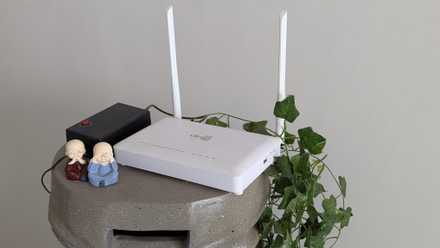
5GHz is faster, but not always the best choice
The slower 2.4GHz band can sometimes perform better
We’ve always been told that the 5GHz band is faster than the 2.4GHz band and should be preferred for high-priority devices. This is indeed true because higher frequency and wider spectrum size allow for more bandwidth and fewer overlapping channels within the spectrum. Anything that receives a strong 5GHz signal will be able to receive more data packets per second, and more devices can be connected to the router at the same time without interfering with each other. This is a plus, but the downside is that higher frequency waves cannot penetrate obstacles as effectively as a 2.4 GHz signal. Moreover, as the distance from the router increases, the 5GHz signal loses strength. Only devices closer to it and not obstructed by walls or other objects can enjoy the faster Wi-Fi speeds of the 5GHz band.
Your iPad in the farthest room from the router or your laptop on the floor above won’t benefit from moving to the “faster” band if the signal barely reaches them. It also depends on the quality of the Wi-Fi receiver inside your device. Although your modern smartphone and laptop can pick up a weak 5GHz signal from a distance, your old smart TV could struggle to do. Although technically slower, these devices will perform better in the 2.4 GHz band. Better coverage will compensate for lower throughput by providing a more consistent connection.
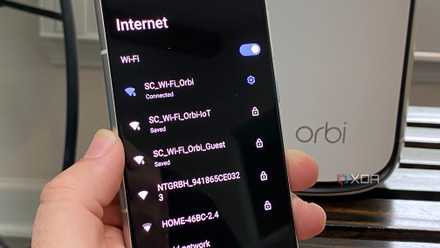
By overloading the 5GHz band, you create unnecessary congestion
Not everything needs a faster band
Although the 5GHz band is less prone to interference, you can still technically create network congestion by connecting dozens of devices. If every device on your network is competing for the same bandwidth, you’ll experience higher latency and perceived slowdowns. Your devices can still show excellent signal strengthhowever, the airtime issues that outdated devices can cause for their modern counterparts can seriously degrade your experience. For this reason, forcing every device into the 5GHz band is counterproductive. You create space for traffic without gaining anything in return. Your smartphones, laptops and tablets are waiting in line due to slow devices that use outdated standards and technologies. And the latter do not benefit from the 5GHz band anyway.
If your 5GHz band is still being used by smart home devices, at least those that support the faster band, then it’s time to move them to the 2.4GHz band. This will not only prevent slowdowns for high-priority devices in the 5GHz band, but also improve the performance of home automation devices that need better coverage from faster speeds.
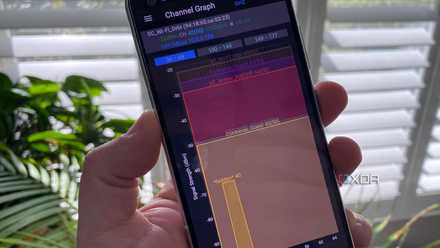
Decide between 2.4GHz and 5GHz for each device
Optimize your network
The best way to optimize your dual-band connection is to decide on a device-by-device basis. Does the device in question really need the extra bandwidth of the 5GHz band and is it in the right range to capture the signal? If so, it makes sense to upgrade it to a faster band. If not, then the 2.4GHz band is the logical destination. Even if your router supports band steering, meaning it can quickly move your device from 2.4GHz to 5GHz, it’s often better to separate the 2.4GHz and 5GHz bands into different SSIDs. To avoid the “sticky connection” problem, it is preferable to assign each device to the appropriate network, where your router keeps your device connected to the 2.4GHz band even if it is on the 5GHz band.
If your devices support Wi-Fi 6E or Wi-Fi 7, it may be worth upgrading your router, even if your internet plan remains the same. Wi-Fi 6E and Wi-Fi 7 routers bring more to the table than higher top speeds. The extra 6GHz range with Wi-Fi 6E and MLO with Wi-Fi 7 provide real-world benefits. They improve signal coverage and latency, better handle multiple devices, and make your connection more responsive overall.
Don’t abuse the 5GHz band as it is technically faster
The 5GHz band offers faster speeds than the 2.4GHz band, but you still have to decide whether the device in question will really benefit from the jump. If adding more and more devices to the 5GHz band makes things worse for your high-priority devices, keeping your slower clients on the “slower” band is the right call. You will optimize your network this way and avoid unnecessary congestion and signal coverage problems.



