

Summary
-
I’ve found that premium boards handle USB/PCIe bandwidth better, so devices and hubs don’t compete.
-
I found that the more powerful VRMs gave stable tuning and allowed me to upgrade to higher end CPUs without having to swap boards.
-
I’ve found that a more expensive board with more lanes, ports, and less hidden resource limitations ages better as needs grow.
I thought motherboard discussions were mostly amateur fluff. As long as the chipset supported my CPU, had RAM slots to spare, and booted reliably every morning, I was happy. When I built my first honest-to-goodness gaming PC three years ago, the B650 motherboard was good enough, and an X670 or X850 motherboard was simply overkill and a waste of money that I could have otherwise spent on other components.
Over the years, slowly but surely, my computer has evolved into a workstation, media center, test bench, and everything in between. As I added more drives, faster memory, capture devices, the occasional VR headset, USB hubs, and even desktop lights, I ran into limitations I didn’t even realize existed in the first place. not like my budget motherboard it became bad or inadequate overnight, but eventually I became a user who could see where corners were cut.
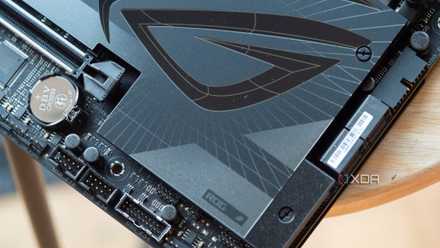
Using a mid-range motherboard made me wonder about connectivity
High-end motherboards eliminate the ceilings you face

For the longest time, motherboard USB discussions felt like pointless technical paper filler. After all, USB ports are just USB ports, right? If I need more, just add a splitter or huband call it a day. This logic worked perfectly, until the webcams, wireless peripherals, splitters, and 2.4GHz switches got a bit too much and they all started competing for the same bandwidth at the same time.
That’s when I realized that high-end motherboards simply don’t offer more ports. What they offer is more bandwidth allocation and better controllers, resulting in cleaner power delivery to all connected devices and fewer compromises behind the scenes. With more bandwidth, the external SSD and HDD won’t slow down the transfer speed and won’t stutter when the webcam is connected to the same hub. In fact, on more premium motherboards, even basic USB hubs tend to behave more consistently, as the board itself allocates lanes and controller resources more intelligently.
A computer will always only have a keyboard and a mouse attached to it, of course, but power users are starting to build entire ecosystems around their computers. That’s when motherboard connectivity determines how gracefully this ecosystem scales over time.
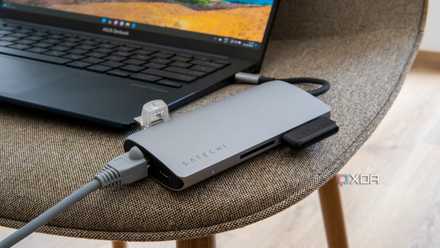
I finally understand why people spend extra money on motherboard VRMs
Conservative overclocking eventually made me want higher VRMs
Overclocking has always felt more like a fun, hobbyist-only activity to me than something I’m really interested in. My CPU already has aggressive clocks out of the box and my RTX 4070 Ti it handled every game I threw at it pretty smoothly. However, things changed when I finally started experimenting with undervolting, manual tuningPBO tweaks, memory tweaks and GPU overclocking. That’s when I quickly discovered that my motherboard might be the weakest link in this whole chain.
With every attempt to push my gear, I kept running into hidden walls of instability. Every time I saw higher temperatures around the VRMs and random crashes during sustained loads, I felt overclocking was more dangerous. In fact, even if my CPU has more headroom, my B650 motherboard is simply not built to comfortably handle this kind of setup for long sessions.
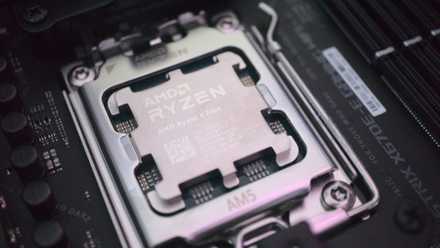
This is what changed the way I look at premium motherboards. Better VRMs help many people achieve absurd performance with liquid cooling settings, but they also help users unlock more. consistently performance from the expensive hardware they already own. Even my switch to an X3D chip when the RTX 60 series arrives means that my B650 motherboard’s VRMs are a Ryzen 9 X3D Even if I have the budget to upgrade it, if I ever go this way, chip. So I decided to switch to an X870 board soon, as it will provide me with more powerful power phases and bigger coolers, allow me to properly stretch the legs of the CPU, and most importantly, allow me to upgrade to a high-end CPU without buying a new motherboard from the same generation.
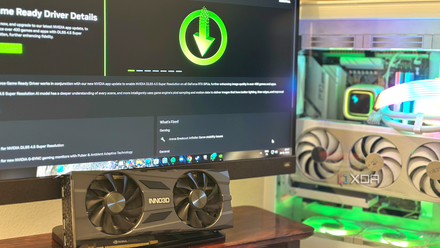
PCIe lane limitations became annoying sooner than I expected
A second SSD slot shouldn’t feel like a download

“How can I ask for more than 2 TB?” That’s the question I asked myself when I bought a Gen4 2TB SSD while building my dream PC. Two years later, I found myself deleting one 100GB open world AAA game booting someone else and reallocating drive space every few weeks. I might have bought an extra NVMe drive just to act as the primary OS drive and plugged it into the second Gen4 slot on the motherboard, but what happens when I need to add another terabyte or two? Any additional SSDs will have to reside in the Gen3 slot, which still enoughstill won’t be able to take advantage of the true speed and performance of any new NVMe SSDs I put in. On many budget and mid-range boards, secondary slots often share bandwidth with SATA ports or low PCIe speed depending on how your system is configured.
In fact, this problem is exacerbated in real-world use when you start integrating high-speed memory, additional PCIe devices, capture cards, and expansion hardware. One fine day, adding a new SSD may disable the SATA ports, or a PCIe slot will simply release lanes. Your motherboard will have to negotiate the resources behind you to accommodate all the PCIe devices, and that’s a problem that never comes up when you spend more early on a more premium motherboard. A good high-end motherboard will allow all your hardware to run smoothly at the same time without letting hidden alerts quietly ruin the experience.
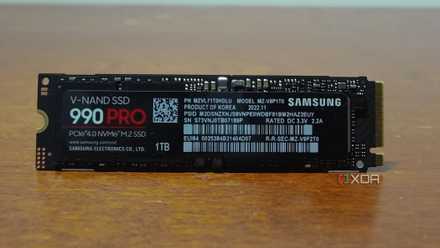
Premium motherboards age better than other computer components
Expensive board gets cheaper over time

The funny thing about hobbyist computer hardware is that your priorities evolve along with your setup. Years ago, I pretty much only cared about GPU performance because it was the easiest metric to understand. Now, after years of living with increasingly demanding workflows and increasingly complex setups, I’ve realized that the best motherboard upgrades take the friction out of everyday experience with ports that never bottleneck and storage that never has to awkwardly negotiate bandwidth.
Expensive motherboards still not necessary for everyoneand budget boards always remain incredible value for mainstream gaming rigs. However, when your computer becomes central to how you work, create, archive, multitask, and experience, motherboard quality really starts to feel like infrastructure rather than a luxury expense.
Your next motherboard upgrade should be about who you are as a user A good computer rarely freezes.
One of the biggest mistakes I made as a PC hobbyist was assuming that my future needs would be the same as my current needs. When building a system, it’s easy to optimize for the games you play today, the peripherals you own today, and the workloads you run today. The problem is that a good PC rarely freezes in time.



