

You should definitely spend some quality time with your Raspberry Pi this weekend. Whether you’re building an offline media travel kit, an NFC-enabled jukebox, or an automatic chicken coop door, these three Raspberry Pi projects will keep you busy.
-
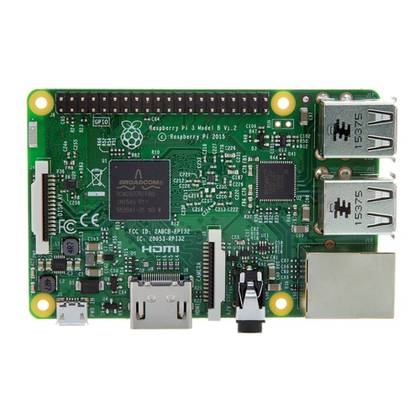
- Brand
-
Raspberry Pi
- Storage
-
SD card
- CPU
-
Quad-core Broadcom BCM2837 64-bit ARMv8 processor 1.2 GHz
- Memory
-
1 GB of RAM
The Raspberry Pi 3 B is a single board computer (SBC) with a 1.2 GHz quad-core processor and 1 GB of RAM. With Gigabit Ethernet and HDMI output, it makes a great little, low-power device for controlling smart home or homelab services like Home Assistant, Homebridge, Pi-Hole or other software.
-
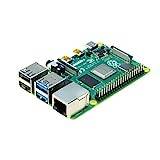
- Brand
-
Raspberry Pi
- CPU
-
Cortex-A72 (ARM v8)
- Memory
-
2 GB
With the Raspberry Pi 4 Model B, you can create all kinds of fun projects and upgrade gadgets around your home. Alternatively, install a full desktop OS and use it like a normal PC.


All you need is Plex or Jellyfin with some memory
If you’ve ever been on vacation and frustrated with your hotel Wi-Fi to remotely stream content from your media server, you’re not alone. I’ve definitely been there myself, and this is it offline media travel kit comes in the clutch.
Creating an offline media travel system is actually quite simple. The two things you need are a Raspberry Pi (3B or newer) and a portable hard drive. Yes, you can use a portable hard drive for your portable media server.
Even a portable hard drive on USB 2.0 can reach 480 Mb/s, which is enough to stream a 1080p or even 4K movie. With USB 3.0, you’re looking at a transfer rate of 5Gb/s, five times faster than Gigabit Ethernet, so you’re definitely good there.
Just install Plex, Jellyfin, Kodi, Emby or Any other media platform supported on Raspberry Pi. You should be able to play any content directly as it will be played natively so transcoding shouldn’t be a problem.
From there, load your favorite movies and TV shows onto an external drive and you’re good to go. It’s really as easy as plug-and-play when you get to the hotel at this point. Plug in your Raspberry Pi, plug in your keyboard and mouse, connect the drive, and you’re good to go.
Get your groove on with an NFC-enabled jukebox
The 90s never looked so good

I remember going to Danny and Shaunie’s house as a kid and begging my parents at quarter time to turn on the song. You’d be hard-pressed to find a jukebox in any restaurant in 2026, so why not build one at home?
This project can be as simple or as difficult as you want it to be. You can simply connect the Raspberry Pi to the touchscreen and use it to select songs to play on the connected speaker.
However, if I were to build it, the way I would implement this project is more complicated. For starters, I would 3D print the jukebox case For the Raspberry Pi to sit. Then I would 3D print some notes and put NFC tags on them. I would also connect the NFC reader to the Pi and place it in the case.
Then whenever I wanted to listen to a song, I would pick up the record of the album I wanted, scan it, and watch a special animation on the screen spin the record. It would be a fun piece of nostalgia made from modern technology.
Keep your backyard chickens safe with a barn door controller
Never forget to open or close the basin door again
My wife and I have kept backyard chickens for about two years, and during that time we went from having to open the coop door every morning and close it every evening to a system that does it for us based on when the sun rises and sets.
Our system was purely based on a light sensor, but you can actually use the Raspberry Pi to control something smarter and easier. I would do it now if we had chickens again.
The setup is a bit complicated and you will need adequate power in the cage (or a solar system capable of handling everything). Drawer slides, brackets, rope, pulley system, etc. including, you will need enough here.
However, you are left out in the cold on this project. there is complete manual You can build your own Raspberry Pi powered chicken gate right on the BackyardChickens website so you can follow this guide and let your chickens roam free without ever having to worry.
Let your Pi do the hard work for you
While some of the above projects will take a good deal of work on your part to complete, you’ll be able to sit back and relax when they’re done. The chicken coop door is one such example. Waking up early to put the chickens away and then being home at night to make sure they were cooped up was exhausting.
With an automatic door, you only have to put in a lot of effort once, and then you can relax the rest of the time. The same can be said for an offline media server – it takes a little time to set up, but then you can just enjoy it.
So let your Pi do the hard work for you. Put in the effort to create the project, then sit back and enjoy it.



