
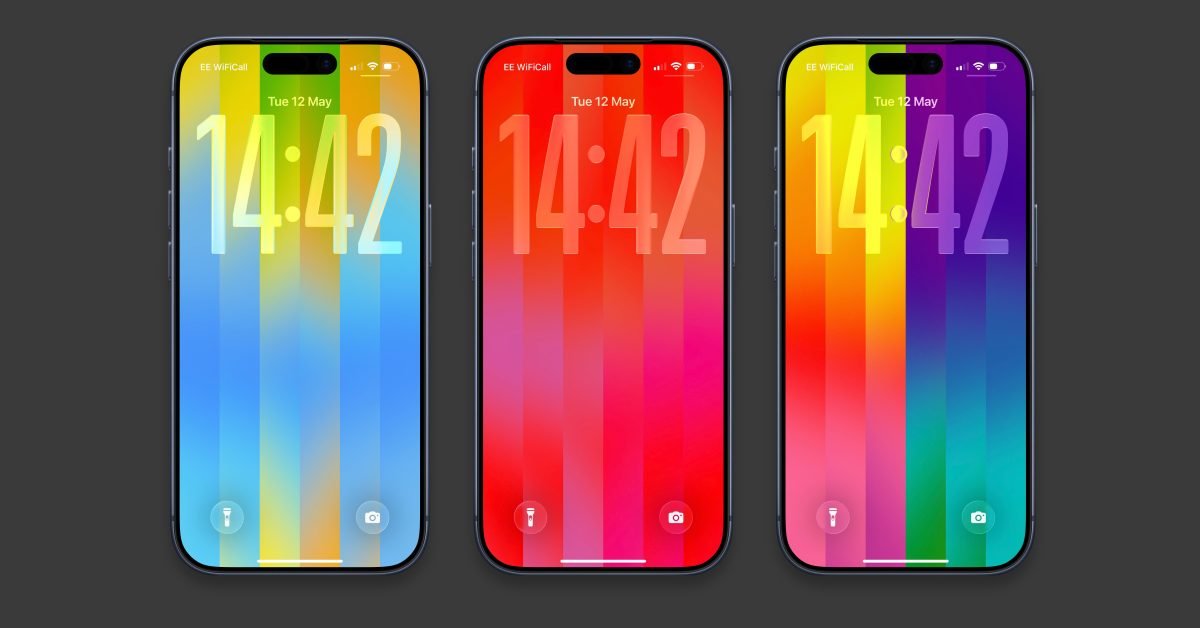

With the iOS 26.5 update, Apple has added a new Pride Luminance wallpaper to the iPhone. The wallpaper has bands of color that transition when swiping from the lock screen to the home screen. By default, the wallpaper uses a rich, vibrant color palette that celebrates the LGBTQ+ community.
But it’s actually super customizable, allowing you to choose your own personal color palette for your iPhone lock screen. How to add a new colorful wallpaper and make it your own.
To install Pride Luminance wallpaper, you need to update to iOS 26.5 first. The free software update was released earlier this week for all eligible iPhone models. If you haven’t updated yet, go to Settings -> Software update.
After installing the new version of the operating system, you should get a new Pride wallpaper. Long press on the lock screen to open the wallpapers gallery.
To add a new wallpaper in the wallpapers gallery, click the plus button and scroll to the Pride section. Click “Go” to download them if they are not already installed.
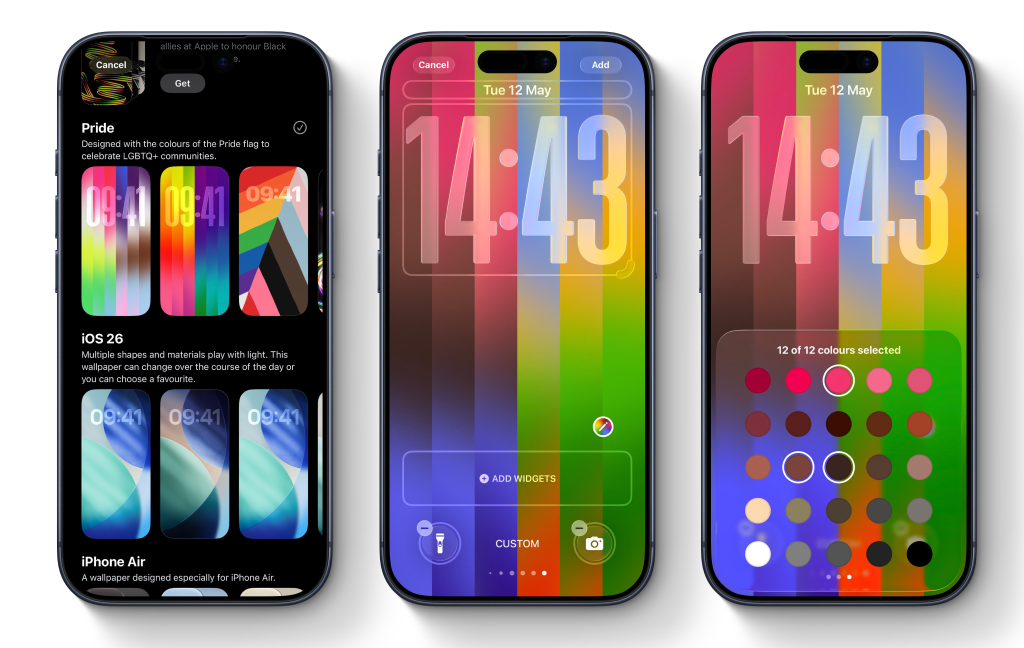
The new striped Pride Luminance wallpaper is the first in the collection. Tap it to open the editor.
On this screen, swipe left to right to view preset built-in styles. About ten of them are ready for you.
If you want to choose your own colors, scroll all the way down until you get to the “Custom” option. On this screen, tap the pencil icon to open the color picker. You can choose up to 12 colors in any combination, allowing for plenty of creativity and customization.
With up to 12 colors, you can create all sorts of different looks, from autumnal earthy themes to bright pinks to soft grays.
Apart from color customization, you can also change the widgets and change how the time looks. By default, iOS 26 uses the large glass font style. If you want to prioritize something else, just tap on the time bar to change the font or color.
When you’re done, click the Add button at the top right of the screen to confirm and save your new wallpaper. You can always go back and create more lock screens with different looks and then switch between them.
Also a matching watch face…
You can also get a matching colored watch face on your Apple Watch. Install watchOS 26.5 update and then get Pride Luminance face from Watch Face Gallery. Like iPhone wallpaper, you can choose from some preset themes or choose your own color palette.
To edit an Apple Watch face, long press on the watch face and tap the Edit button. Swipe to the Color page and then swipe the Digital Crown to switch between different theme presets. A custom preset is the first option on the list. This will bring up a pattern where you can choose up to 12 colors to display on your watch face as your iPhone wallpaper.


FTC: We use automatic affiliate links that generate income. More.




